
Are conditional view modifiers a good idea in SwiftUI?

I’ve been interviewing with companies for the past 8 months (still unemployed in the current tough market! You can hire me!) now and nowadays I’m writing articles about my experiences around interview questions and situations that I faced while building my personal fully native iOS apps with Swift, SwiftUI and other modern approaches. And today’s one is one of the questions that I got recently “Are conditional view modifiers a good idea in SwiftUl?
It is a short question with a long answer. Most people say it depends… and move on. Chris Eidhof wrote the classic take on this years ago: Why Conditional View Modifiers are a Bad Idea (objc.io). Apple’s Xcode 27 swiftui-expert-skill now says the same thing under Prefer Modifiers Over Conditional Views. I have been applying both while reviewing Walk Mate’s map screen and this post is the answer I would give in that interview.
The Core Idea
In SwiftUI, views are value types (struct). They do not have object identity like UIKit. SwiftUI figures out “sameness” from structure and type. When you animate, it needs to compare the view before/after and interpolate between those values.
As it explained very well in objc.io’s blog post, an if/else branch produces _ConditionalContent. That is an enum: either the true branch or the false branch. When the condition flips, SwiftUI does not interpolate. It removes one view and inserts another. Default transition: fade. And any @State / @StateObject sitting on that position gets reset, because as far as SwiftUI is concerned a new view just appeared.
The Interview Trap: .if and applyIf
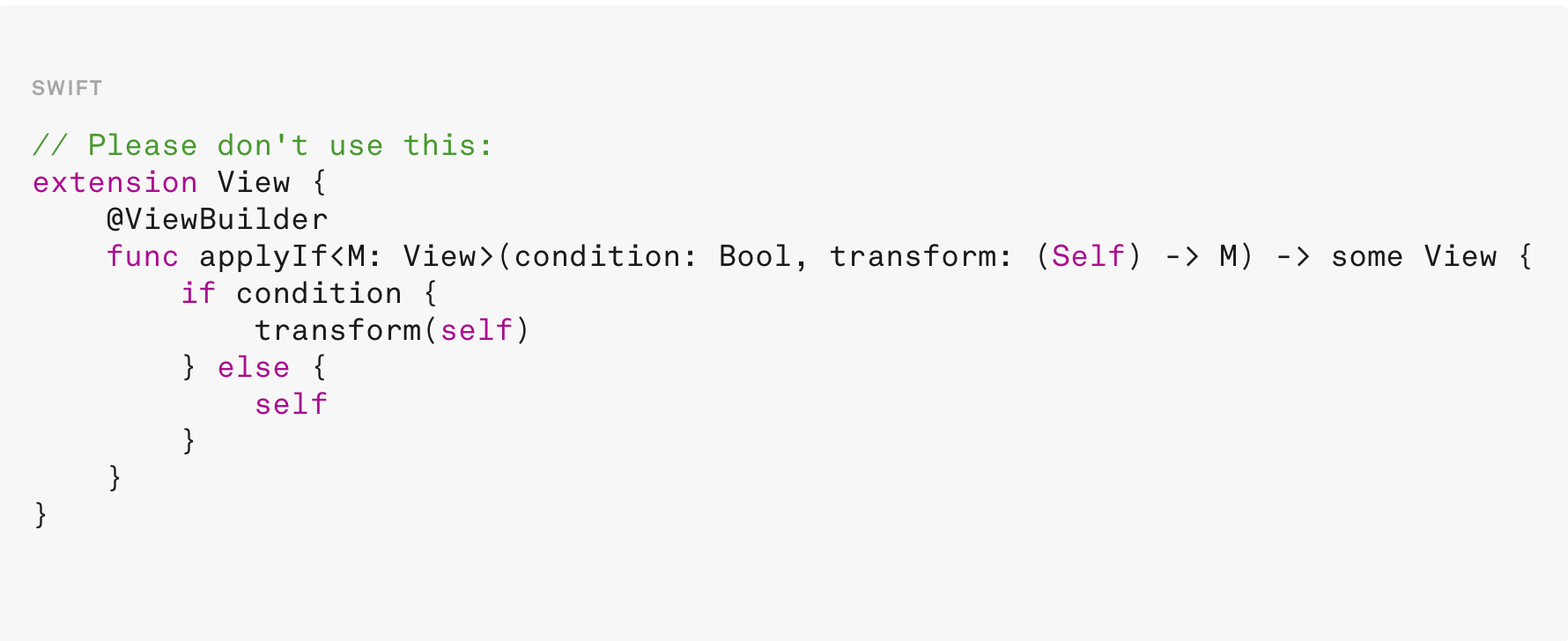
A lot of codebases still have something like this:
// Please don’t use this:
extension View {
    @ViewBuilder
    func `if`<T: View>(_ condition: Bool, transform: (Self) -> T) -> some View {
        if condition {
            transform(self)
        } else {
            self
        }
    }
}
Or the applyIf variant from countless blog posts. It feels clever. It is also the exact pattern Apple calls out as problematic!
Why?
The return type changes per branch. One branch is T (the transformed view). The other is Self. Outermost type becomes _ConditionalContent. Identity breaks. Animations break. State can reset.
objc.io’s example makes it obvious. Conditionally framing a Rectangle with applyIf fades. Writing .frame(width: myState ? 100 : nil) keeps one ModifiedContent type and animates smoothly.
Apple’s guidance matches that:
Prefer always-present modifiers with ternary values:
Text(”Hello”)
    .opacity(isHighlighted ? 1 : 0.5)

Text(”Hello”)
    .foregroundStyle(isError ? .red : .primary)
When writing new code, never reach for a .if modifier. When reviewing existing code that already uses one, point out the identity and animation risk and show the ternary alternative but don’t silently refactor it inside an unrelated PR. Swapping it can change behavior (state resets, transition timing). That belongs in its own focused edit.
Prefer Modifiers Over Conditional Views
When you introduce a branch, are you representing multiple views or two states of the same view?
Same view, different states → prefer a no-effect modifier:
SomeView()
    .opacity(isVisible ? 1 : 0)
Avoid create/destroy for visibility:
if isVisible {
    SomeView()
}
Why?
Conditional inclusion can lose state, hurt animation, and break identity. Modifiers keep the same view across state changes.
Conditionals are appropriate when you truly have different views:
if isLoggedIn {
    DashboardView()
} else {
    LoginView()
}

if let user {
    UserProfileView(user: user)
}
That last one matters. Optional content is fine. Fundamentally different screens are fine. “Hide this card for a second” is usually not, that is opacity (and often allowsHitTesting(false) when it should not receive taps).
What I Found in Walk Mate
I put breakpoints on a few conditionals in ContentView and AdventureCompletedView and asked myself: is this two states of the same view or truly different views?
Good: same view, different visual state
In MyStatsView, locked milestones stay in the tree and only dim:
.opacity(milestone.unlocked ? 1.0 : 0.7)Same pattern in MapStyleView for non-interactive rows:
.opacity(isInteractive ? 1 : 0.55)That is exactly Apple’s “no-effect modifier” advice. One view identity. Value changes.
Correct conditionals: fundamentally different UI modes
In ContentForegroundStack I switch between drawing and the normal bottom chrome:
if store.drawRoute.isDrawingRoute {
    DrawRouteOverlayView(store: store)
} else if !store.avoidance.isEditingAvoidedLocations {
    BottomControls(...)
}
DrawRouteOverlayView and BottomControls are not two opacities of the same thing. They are different modes of the map UI. Same idea for MapControlsView and AdventureStatsView disappearing while the user draw or mark avoidance. Those branches are appropriate.
Optional content is also fine:
if let medal {
    MedalCollectionToast(...)
}
That matches Apple’s if let user example.
The gray area: overlays that come and go
ContentMainView still has:
if store.routeGeneration.isGeneratingRoutes {
    LoadingOverlay()
}

if store.walkSession.showAdventureCompleted {
    AdventureCompletedView(store: store)
}
And inside AdventureCompletedView, confetti is also gated:
if showConfetti {
    ConfettiView()
}
Are these “wrong”? Not automatically. Loading and adventure-completed are closer to modal layers than to a button that toggles highlight. Creating them when needed is readable and for LoadingOverlay there is little state to preserve.
But AdventureCompletedView holds animation state:
@State private var showConfetti = false
@State private var cardScale: CGFloat = 0.8
@State private var cardOpacity: Double = 0
The outer if in ContentMainView creates and destroys that whole view. That resets @State every time the overlay appears which we actually rely on because .onAppear kicks the spring for cardScale/cardOpacity. So the conditional is doing intentional lifecycle work not just “hide me”.
Still, there is a smell 🦨: AdventureCompletedView’s body also checks showAdventureCompleted and selectedRoute again. Double gate. The parent already decided the overlay should exist. The child repeating the same if means an empty branch when state is inconsistent and it keeps the “presence” question inside a view that also owns animation state.
For confetti specifically, Apple’s opacity guidance fits better than create/destroy:
ConfettiView()
    .opacity(showConfetti ? 1 : 0)
    .allowsHitTesting(false)
Same view. No identity flip when the Bool toggles. If ConfettiView ever grows internal state, you won’t reset it by accident.
Interview answer in one line: use if when the view graph is genuinely different; use modifiers when you are only changing how the same view looks or whether it receives interaction.
Practical Checklist (What I Use in Code Reviews Now)
1. Ask first: same view, two states or two different views?
2. Prefer ternary values on always-present modifiers (opacity, foregroundStyle, frame with nil etc.).
3. Never add a new .if / applyIf View extension. If one exists, call out the risk; refactor in a dedicated change.
4. Use if / else for real mode switches and if let for optional content.
5. Be careful when @State lives inside a view that is itself behind an if, otherwise appearance resets state. Sometimes you want that (entrance animation). Sometimes you just lost the user’s text field.
6. Do not “fix” every overlay if in the app overnight. Loading and completion modals can stay as conditionals when create/destroy is the lifecycle you want.
The Answer I Would Give In an Interview
No, not the applyIf / .if extension kind. They wrap if/else around modifiers, change the return type per branch, break structural identity and turn smooth property animations into transitions. Prefer modifiers that are always applied with values that change.
Conditional views (if in a body) are fine when the branches are actually different views or optional content. They are the wrong tool when you only mean “this same view, hidden or dimmed.”
That is Chris Eidhof’s objc.io argument. It is also what Apple wrote into Xcode 27’s swiftui-expert-skill. In a map-heavy app like Walk Mate, the win is knowing which of your ifs are mode switches, which are optional content and which are visibility hacks that should have been opacity all along.
Sources
Prefer Modifiers Over Conditional Views - Apple / Xcode 27 swiftui-expert-skill (view-structure.md)
Splitting Large SwiftUI Views in the Apple's way
·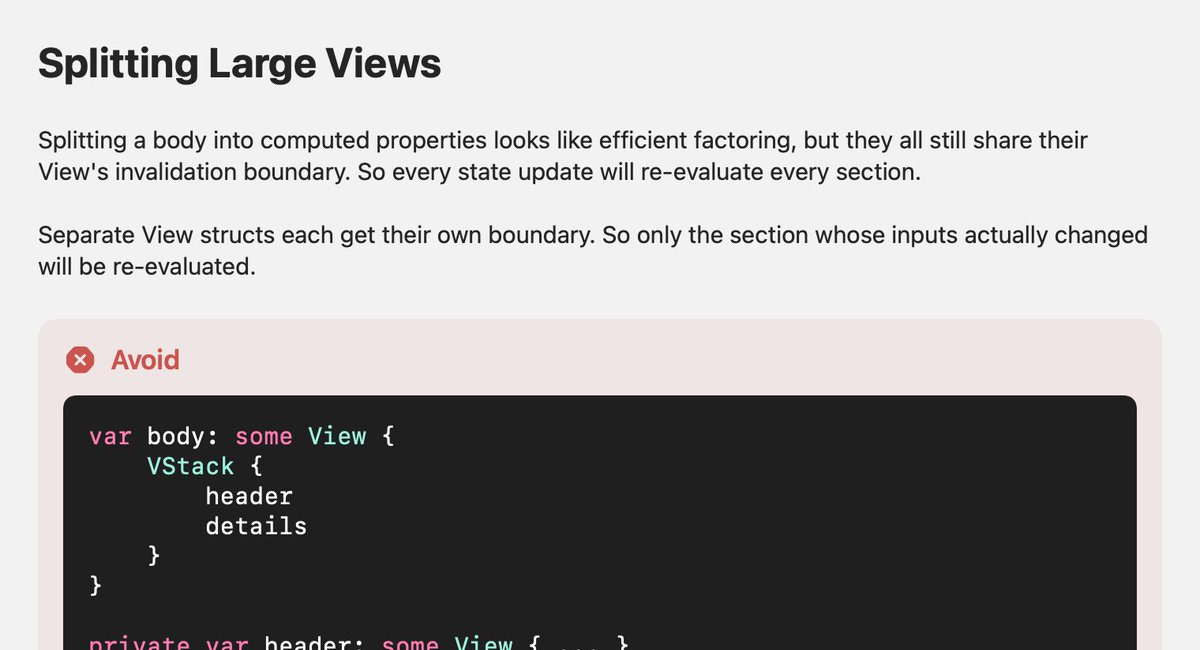
Apple recently added this to their Xcode 27 coding skills guidance, and it started a good conversation on X. Vincent shared it and Shannon asked a fair question: if you split a large view, does @ViewBuilder help with identity?
